Block Craft 3D:Building Game
Wildlife StudiosArcade
4.576.75K Reviews
- Version
- 4.9.1
- Installs
- 500.00M
- Age Rating
- Everyone
Screenshots
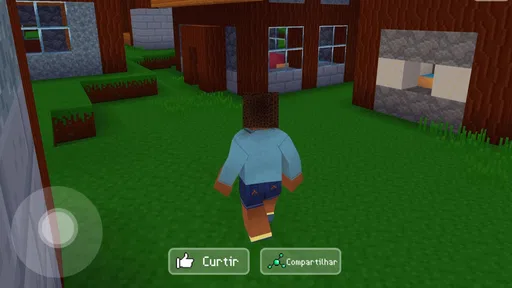
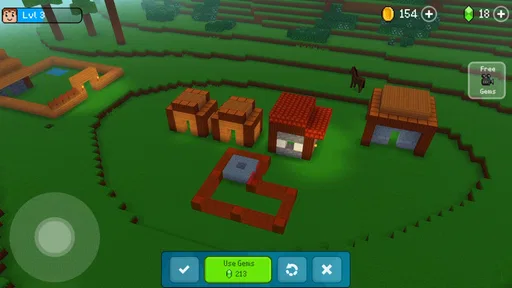
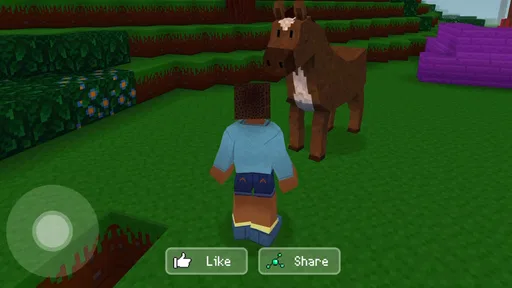
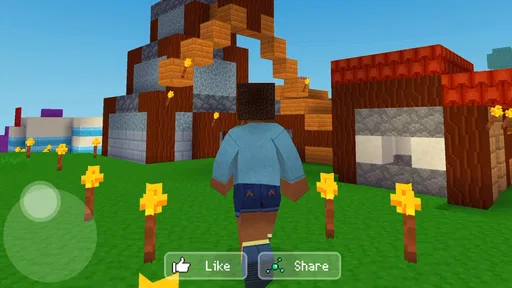
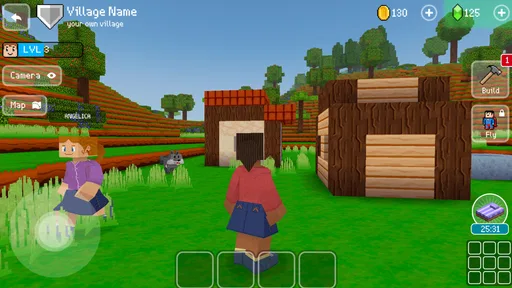
Our Review of Block Craft 3D:Building Game
 Analysis by Appyee
I like building games best when they let me shape a place at my own pace rather than demanding quick reflexes or a long story commitment. Block Craft 3D: Building Game leans into that relaxed, creative appeal: it is an arcade game about making a personal space, one block at a time. Wildlife Studios released it on August 24, 2016, and its long run has made it a familiar choice for mobile players. The game is free to download, so you can try its basic building experience without paying upfront; optional in-app purchases range from $0.99 to $119.99 per item, which is worth keeping in mind if you prefer to avoid spending inside games.
A World of Endless Possibilities
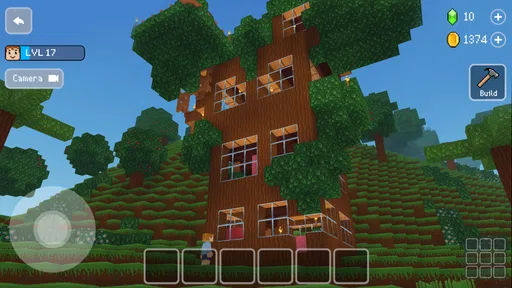
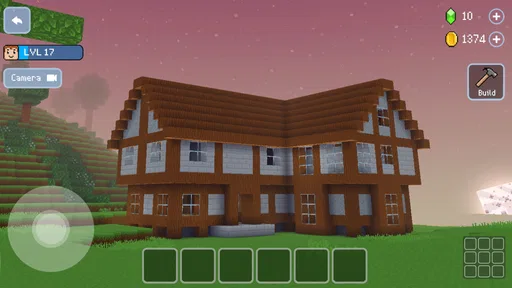
First things first, Block Craft 3D: Building Game is all about creativity. Imagine Minecraft but simplified for your mobile device. The game gives you a blank canvas to work with, and your only limit is your imagination. Whether you want to construct a small village or a sprawling city, the game provides the tools to make your vision a reality.
You start with a small plot of land, and as you progress, you unlock more building options. The more you play, the more you can do, which is super motivating. I found myself lost in hours of crafting and constructing, trying to perfect my little virtual world.
User-Friendly Interface
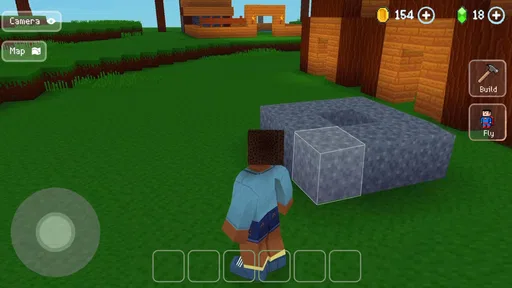
One thing that stands out is how intuitive the interface is. The game is designed to be user-friendly, making it easy to jump right in even if you’ve never played a building game before. The controls are straightforward, with a simple tap-and-drag system that lets you place blocks and structures effortlessly.
Plus, the graphics are vibrant and colorful, which adds to the overall appeal. It's not the most realistic look, but it has a charm that keeps you engaged. The game runs smoothly on most devices, so you don’t have to worry about annoying lags or crashes.
Community Interaction
One of the features I absolutely love is the social aspect. You can visit other players’ worlds and get inspired by their creations. It’s a fantastic way to see what’s possible and maybe even pick up a few ideas for your own projects. There’s a real sense of community, and it’s fun to share your masterpieces with others and receive feedback.
Additionally, the game allows you to earn coins by completing various challenges or by watching ads, which you can then use to purchase new blocks or decorations. This adds a nice layer of progression and keeps you coming back for more.
Cost, Progress, and Practical Tradeoffs
For me, the best way to judge a free building game is to separate the pleasure of making things from the urge to speed up progress. The free entry is useful for a low-commitment trial: spend a short session placing blocks, see whether the controls and visual style suit you, and decide from there. Optional purchases are not necessary to establish whether you enjoy the core creative loop, but their listed range is broad enough that I would set a spending limit before browsing them. The highest-priced items may be far beyond what a casual player wants to spend, so I would treat every purchase as a deliberate extra, not a requirement.
Progression can make a project feel more rewarding, but it also changes the pace. If a particular building idea depends on options you have not unlocked yet, I would sketch a simpler version first rather than paying just to keep momentum. That is a practical way to avoid turning a relaxing hobby into a shopping decision. The game is rated Teen, and it is sensible for parents to look at the experience together and discuss purchases before younger players use them.
Making a Better Building Session
In a game built around constructing a town, it helps to give each session a small purpose. I might decide to make one street feel complete, add a landmark, or choose a consistent look for a group of buildings. A focused target makes a quick visit satisfying, while leaving a bigger city plan for a longer stretch of free time. It also prevents the common sandbox problem of placing a few unrelated structures and then not knowing what to do next.
I would also use visits to other players’ worlds as research rather than a reason to copy a whole design. Look for one idea at a time: how someone gives a building a recognizable outline, uses repeated details to make a street feel connected, or balances open space against dense construction. Then bring that lesson back to your own plot and adapt it. This turns the social side into a source of practical inspiration, even if you prefer to build independently most of the time.
There is a useful trade-off between detail and scale, too. A huge city sounds appealing, but a smaller area with a clear theme can be more satisfying to finish and easier to revise. If you are playing in short breaks, working on a single building or block of streets gives you a natural stopping point. If you have an afternoon, you can connect those smaller pieces into a broader plan. That flexible rhythm is one reason this kind of mobile builder can fit around ordinary routines.
Who Is Likely to Enjoy It
I would recommend it first to players who like decorating, planning layouts, and watching a place gradually become their own. It can suit someone who wants a creative game without needing to master complicated controls, and it offers a gentler alternative to action-heavy arcade games. The combination of personal construction and the chance to look around other players’ creations gives both solo-minded builders and curious browsers a reason to return.
A realistic use case is a short commute or a quiet break: pick one manageable task, such as improving a building entrance, and leave the larger plan for later. Just remember that it is a game to dip into, not a guaranteed offline pastime; if you need something that works without an internet connection, check that requirement before relying on it. Likewise, anyone who dislikes ads, gradual unlocks, or optional purchase prompts may find the free-to-start model less relaxing than a one-time paid game.
Compared with open-ended building games such as Minecraft, this is a more approachable mobile option, but it is not the best fit if you want the same sense of deep survival systems or a demanding, highly technical construction toolkit. On the other hand, a pure decorating app may offer a more focused design experience without the broader game progression. I see Block Craft 3D as the middle ground: a casual city-building sandbox that is easier to approach than a complex survival builder, while still giving you room to make a place that feels personal.
Final Thoughts
Overall, Block Craft 3D: Building Game is perfect for anyone who loves to build and create. It’s accessible, fun, and filled with opportunities to express yourself. The social interactions add an extra layer of enjoyment, making it more than just a solitary experience.
If you’re in the mood for a game that lets your creativity run wild while also providing a sense of accomplishment, give this one a try. Whether you’re on a quick break or have an entire afternoon to kill, this game is a delightful way to pass the time.
That recommendation comes with a qualification: I would choose it for relaxed city-building, not for a tightly directed campaign or a deep technical challenge. It has a 4.4 average from around 2.8 million ratings, and it has passed 500 million installs, signs of a broad audience rather than a guarantee that every player will enjoy its pace. The current version is 3.22.0, and it requires Android 6.0 or later. If you want a simple creative project, are comfortable with optional purchases, and enjoy browsing other people’s builds, I think it is worth trying for free. If you want a fully paid experience with no purchase decisions, or a more involved survival builder, I would look elsewhere.
Privacy and Permissions
See what permissions an app requests and how it handles your data.
- Photos/Media/Files
- read the contents of your USB storage
- Storage
- read the contents of your USB storage
- Wi-Fi connection information
- view Wi-Fi connections
- Other
- view network connections, full network access, run at startup, control vibration, prevent device from sleeping, Google Play license check
Verdict
Strengths of Block Craft 3D:Building Game
- Intuitive controls make building easy.
- Rich variety of blocks and designs.
- Offline mode available for play anywhere.
- Engaging community features enhance fun.
- Frequent updates with new content.
Limitations of Block Craft 3D:Building Game
- In-app purchases can be pricey.
- Graphics may seem basic to some users.
- No multiplayer mode limits interaction.
- Can be repetitive over time.
- Occasional ads interrupt gameplay.
Other Releases by Wildlife Studios
View All
Sniper 3D:Gun Shooting Games
Action4.6

Flight Pilot: 3D Simulator
Role Playing4.1

Bike Race:Motorcycle Games
Racing4.4

Zooba: Fun Battle Royale Games
Action4.6
Similar Picks in This Category
View All
Subway Surfers
SYBO Games4.6

Stickman Party 234 MiniGames
PlayMax Game Studio4.6

Subway Princess Runner
Ivy4.4

Temple Run
Imangi Studios4.2

Zombie Tsunami
Mobigame SAS4.6

Stack Ball - Crash Platforms
CASUAL AZUR GAMES4.5
You May Also Like
View All

Frequently Asked Questions
What is Block Craft 3D: Building Game?
Block Craft 3D: Building Game is a popular sandbox game available on both Android and iOS platforms. It allows players to unleash their creativity by building structures, cities, and entire worlds using a variety of blocks. The game features a vibrant community where players can share creations and explore others' worlds.
Is Block Craft 3D free to play?
Yes, Block Craft 3D is free to download and play. However, the game offers in-app purchases that can enhance the gaming experience. These purchases can include additional resources, special items, or the removal of ads, allowing players to progress faster or personalize their gameplay.
Do I need an internet connection to play Block Craft 3D?
Block Craft 3D can be played offline, allowing you to build and explore without an internet connection. However, certain features, such as visiting other players’ cities or sharing your creations, require an internet connection. Being online also enables access to updates and new content.
What age group is Block Craft 3D suitable for?
Block Craft 3D is suitable for a wide range of age groups, typically from children to adults. The game is designed to be family-friendly, with no violent content, making it a safe and engaging choice for younger players. Parents should be aware of in-app purchases and supervise accordingly.
How can I customize my character in Block Craft 3D?
In Block Craft 3D, players can personalize their avatars with various skins and outfits. Customization options are available as you progress in the game or through in-app purchases. This feature allows players to express their individuality and stand out in the community.
Play our best games!


